Writing on my iPad finally feels like writing
Broken lines and uncomfortable writing were two different problems. Here’s what helped on my iPad mini with Apple Pencil Pro: unplugging, replacement nibs, a matte protector, a grip, and my Goodnotes settings.
The first thing that helped didn’t cost anything
I kept trying to figure out why the lines would stutter and break while I was writing on my iPad. I’d be writing, and the marks on the screen just wouldn’t keep up properly.
Well. I finally noticed the connection: I kept writing while my iPad was plugged in and charging.
In my setup, unplugging it made the difference. Which feels so obvious now, but also: why wasn’t this part of the answer when I kept searching for why my handwriting was breaking?
I’m using an iPad mini and Apple Pencil Pro. I’m not claiming every broken line has the same cause. But “does it still happen when you unplug the iPad?” is such a small, useful thing to check. I should’ve checked that sooner.
Apple’s guidance for intermittent screen response includes disconnecting Lightning or USB-C accessories, then trying another outlet, cable, or charger if removing the accessory helps. That’s general screen guidance, rather than a diagnosis of my Pencil problem. Still, I wish that check had reached me sooner.
The annoying part: my iPad runs out of battery pretty fast when I’m writing without charging it. There’s a trade-off. Unplugging helped the interrupted lines, but it also means my writing session depends on how much battery I have left.
The replacement nibs were still worth it
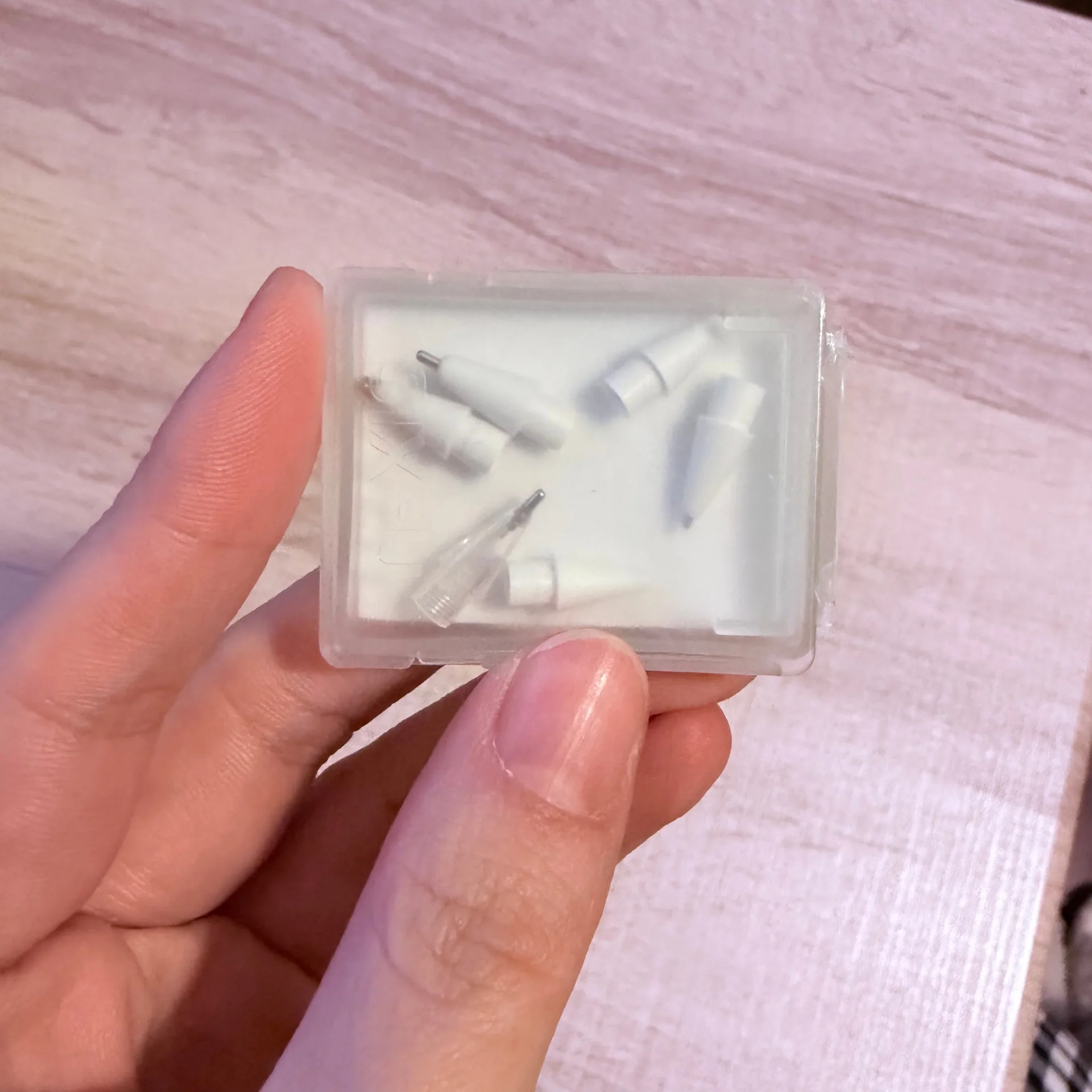
I only noticed the charging connection AFTER I’d already bought these replacement nibs. But I’m glad I spent money on these bad boys.
The pointed end of my original Apple Pencil nib was getting worn down and super dull. Now I don’t have to worry about that, and I can actually write how I physically write!!!!!!! OMG.
That’s the part I wasn’t expecting to be so excited about.
When the marks on the screen don’t keep up with my hand, writing becomes frustrating. But even when the lines work properly, writing on a screen still has to feel right in my hand.
With these nibs, the way I naturally write feels more at home on the iPad. They’ve been a game changer for me, even though unplugging was what helped with the interrupted lines. Replacing the worn nib was worthwhile in its own right.
I’d avoided metal replacement nibs before because I was worried they’d scratch my screen protector or something. So far, that hasn’t been my experience. Nah fam. I’m happy I finally tried them.
That’s an observation about the tips and protector I’m using. I haven’t tested every combination, and I can’t promise every metal tip will behave the same way on every surface.
A matte protector doesn’t have to be expensive
I usually buy a cheaper matte screen protector whenever I get an iPad. JETech has been reliable in my experience, and that’s what I tend to go back to.
I don’t feel like I need a premium-branded one to enjoy writing. An affordable matte option has been enough for the experience I want.
That doesn’t make every matte protector identical. I haven’t done a side-by-side comparison of expensive and inexpensive protectors. It just means the expensive version hasn’t been a requirement in my setup.
The shape of the grip matters
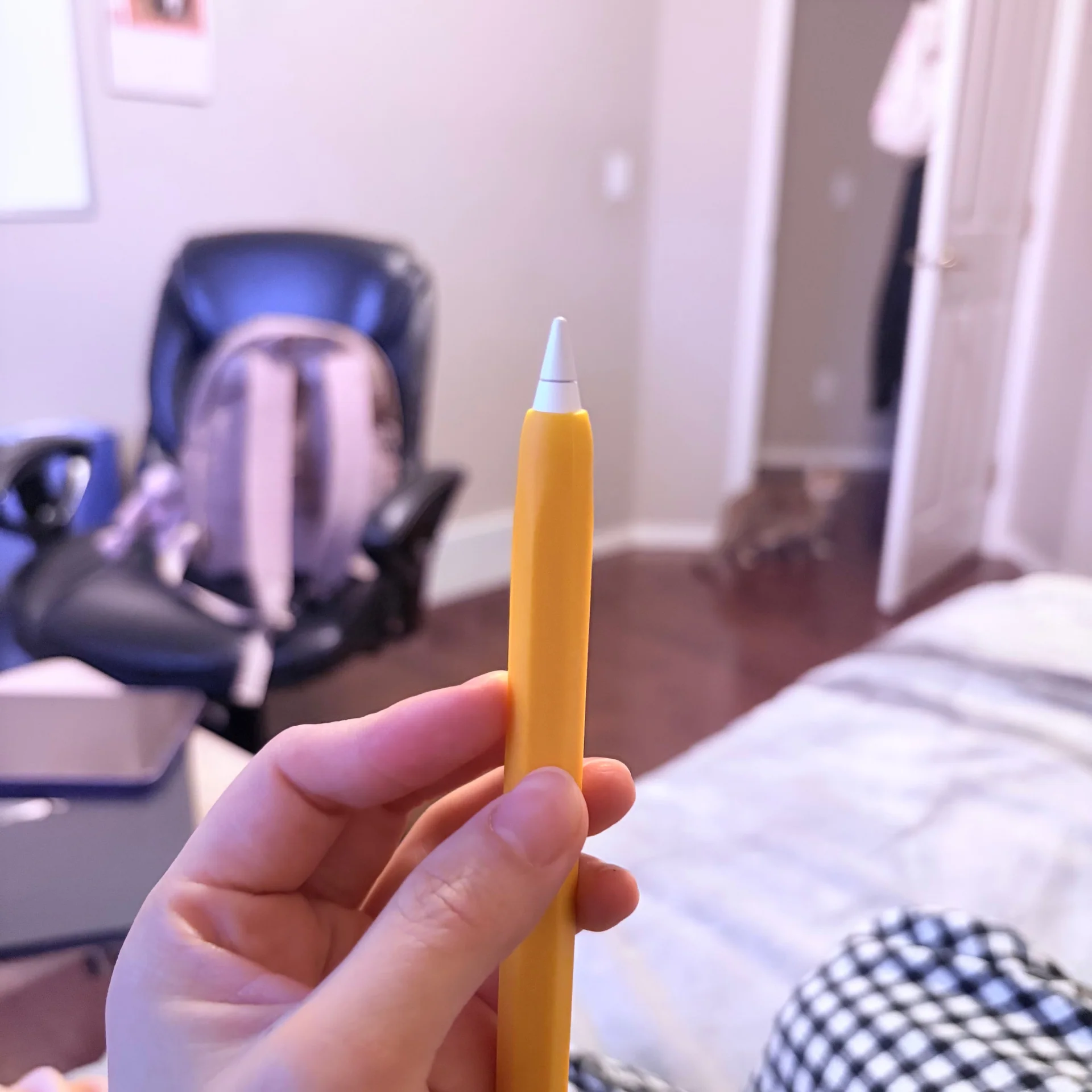
I also use a silicone cover for my Apple Pencil. The shape is the reason I like it.
I have bad joints, and this shape is easier for me to grip. That matters just as much to my experience as what happens where the nib meets the screen. A writing setup includes the part you’re holding the whole time.
And there’s one more thing I use that wasn’t even made specifically for writing: golf finger protectors.
My fingers can hurt after just a couple of minutes of writing, sometimes before I’ve got much more than a sentence down. I wear these on my middle finger and thumb, where they cushion my fingers as I grip the pen or Pencil. That cushioning helps lessen the pain for me.
They’re a personal comfort workaround I’ve found useful with ordinary pens and pencils, too.
It makes me think about where we draw the boundary around a product. The Pencil is one object, but my experience of writing involves the nib, the screen surface, the grip, and my hands. Changing one part can help without resolving everything else.
My go-to Goodnotes preset
My go-to preset for writing in Goodnotes is Ball Pen with 0% stabilization. I use a thickness of 0.2 mm to 0.4 mm, depending on the size of the paper template.
That’s the setup I keep coming back to for my own handwriting.
Who I’d recommend this approach to
If your iPad handwriting keeps breaking up, I’d start by checking whether it still happens unplugged. I should’ve checked that sooner, but I’m still glad I bought the replacement nibs. My original nib was getting super dull, and the replacements improved how writing felt.
If the lines work but writing feels awkward, then it makes sense to look at the part that’s bothering you. For me, replacement nibs helped writing feel more natural, a matte protector provided a surface I like, and the silicone cover made the Pencil easier to hold.
I wouldn’t tell someone to buy my entire setup just because it works for me. If you already like your nib and screen surface, there may be nothing to change there. And if your main problem is interrupted lines, my experience doesn’t establish that replacement nibs will fix it.
The grip and finger protectors are especially personal. I find them helpful, but that doesn’t tell me how they’ll feel in someone else’s hands.
The answer I wish I’d found
I searched for the symptom I could see: broken, stuttering lines. The detail that mattered in my case was something happening alongside the writing: the iPad was charging.
That question should’ve been easier to come across.
So here’s the version I wish had reached me: if your writing keeps breaking up, check whether it happens unplugged, too. Then, when you’re thinking about how writing actually feels, pay attention to the nib, the surface, the grip, and your hands.
For me, that combination has made writing on my iPad feel so much more like my own handwriting.
Finally.
Products in this review
Find the listing
These are the links from my writing setup. Check the current listing and compatibility with your iPad and Pencil before ordering.
As an Amazon Associate I earn from qualifying purchases.
- Replacement nibsView on Amazon.ca
- JETech matte screen protectorView on Amazon.ca
- Silicone Pencil coverView on Amazon.ca
- Golf finger protectorsView on Amazon.ca
More observations