iOS keyboard · Character drawing
KaoKeys
Make expressions and draw with characters, then keep them close to where you write.
An iOS expression editor, ASCII drawing canvas, and keyboard extension shaped through local development and testing on the phone.
How can choosing characters, drawing with them, and using an expression each have the space they need?
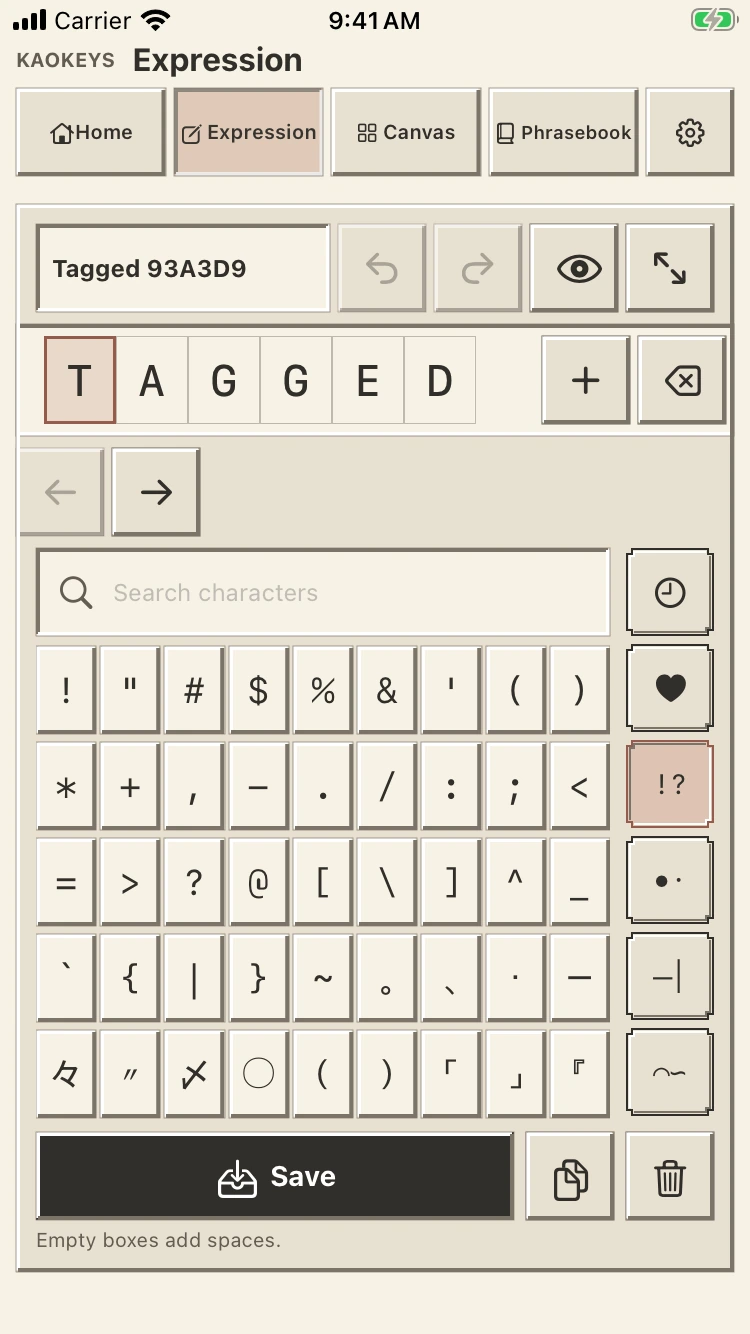
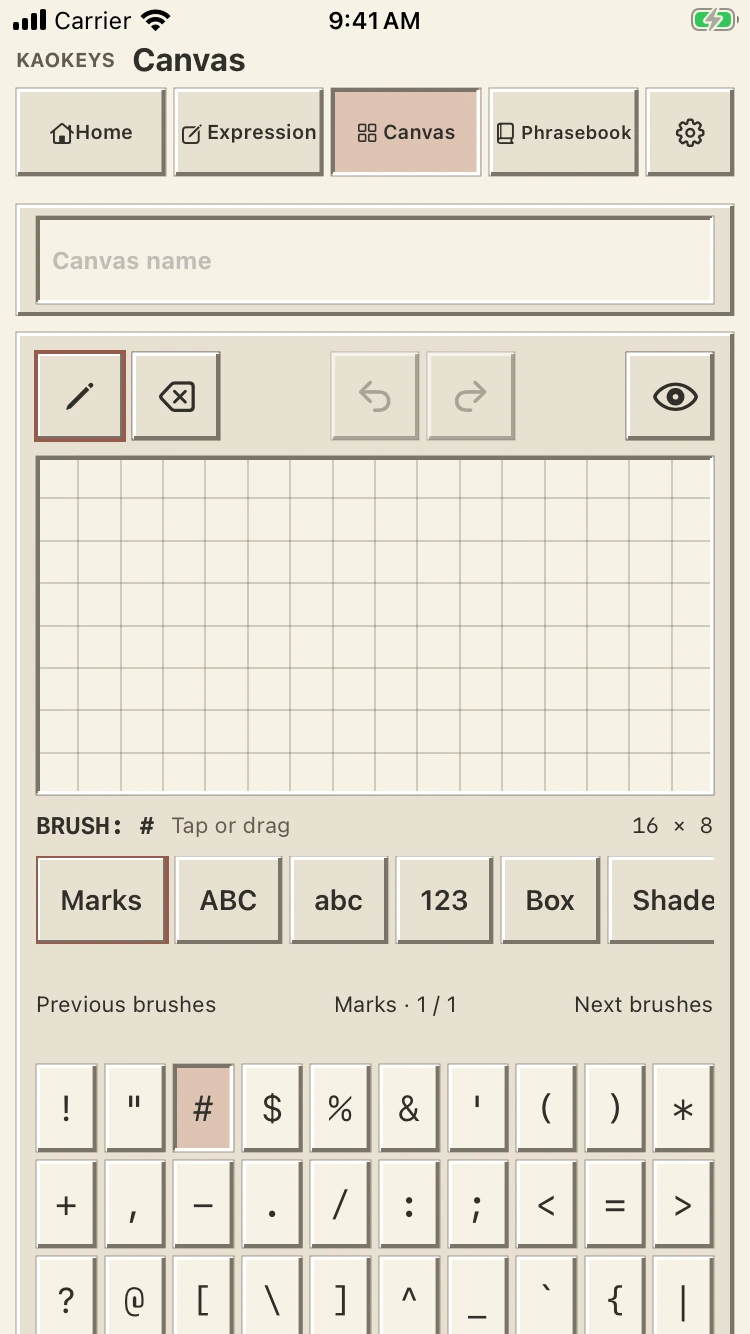
Expression and Canvas.
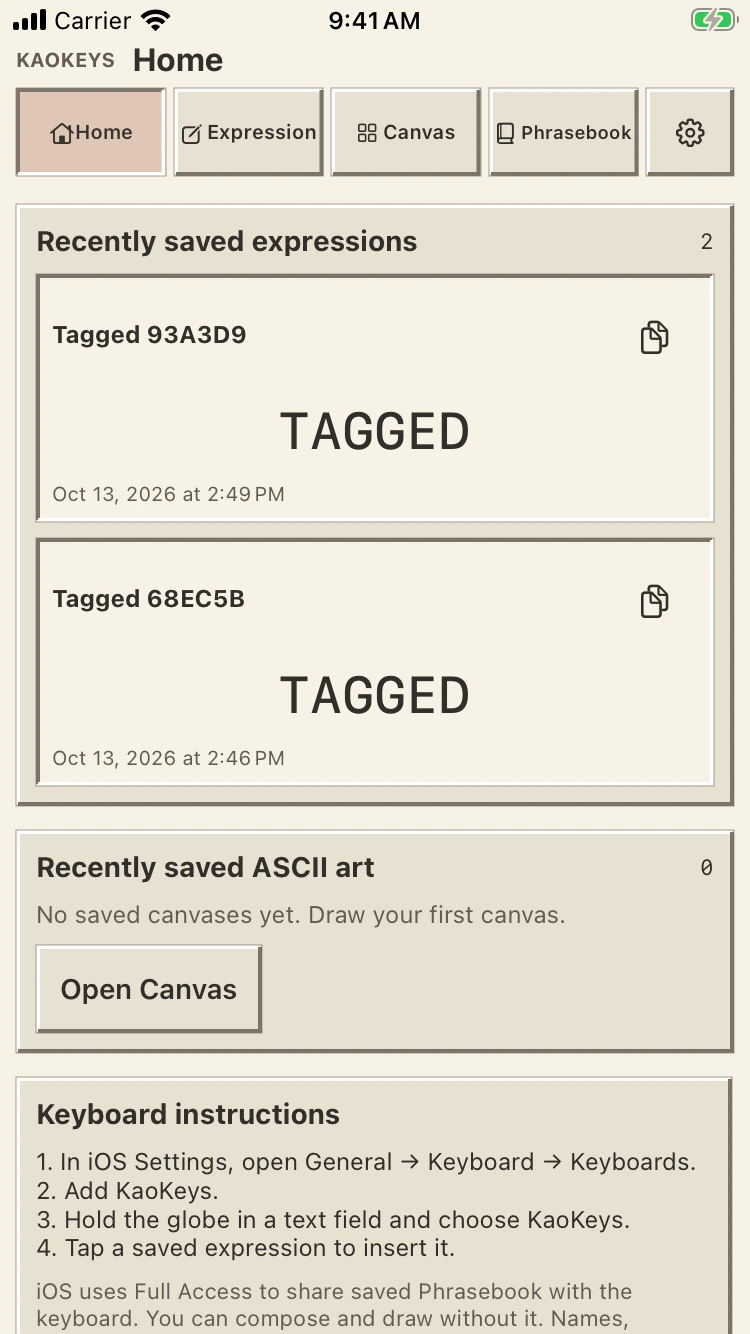
Expression holds the character editor. Canvas gives ASCII art its own drawing grid. Each keeps a separate draft, while Home brings saved work and keyboard instructions together.
From making to using.
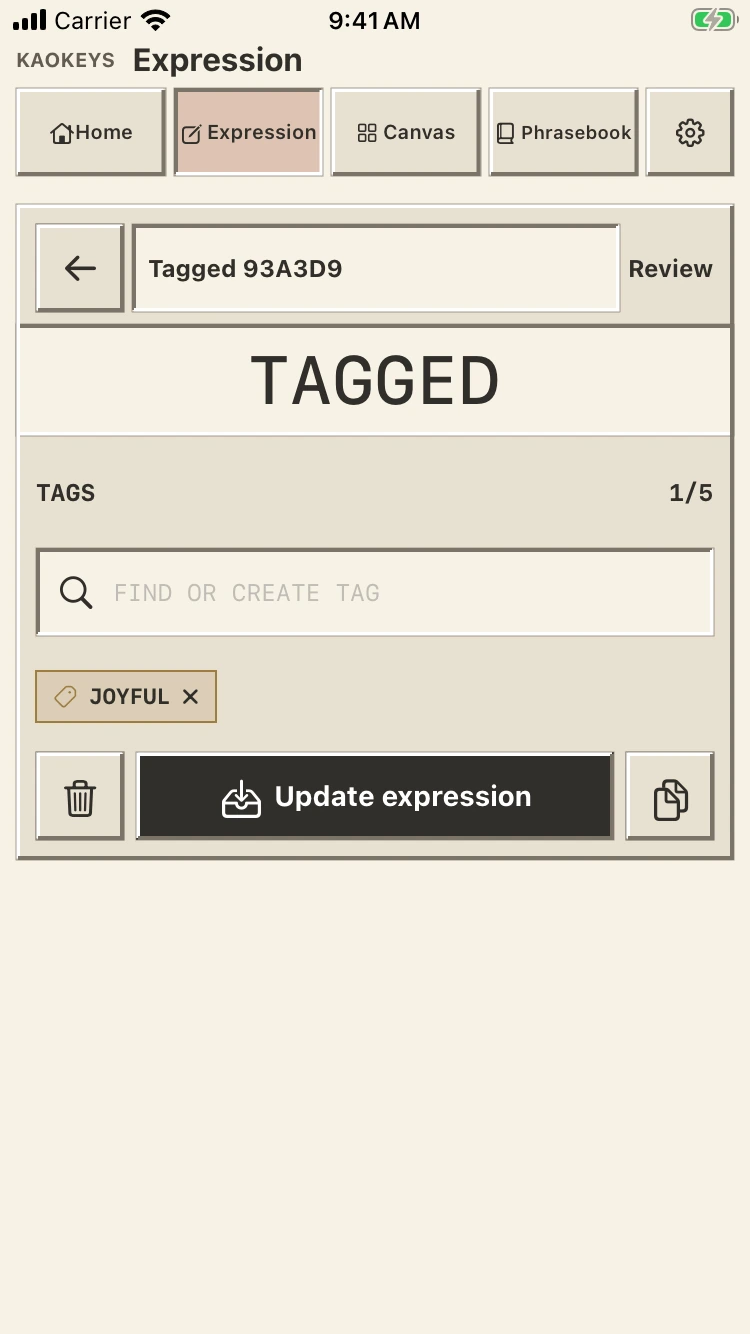
Saved expressions can be browsed through mood filters in the keyboard extension. The current direction uses direct tap-to-insert choices and removes controls that spent limited keyboard space without making the next action clearer.
A development record.
These screens show local development builds with synthetic content. The keyboard was confirmed to open on the phone after a language-declaration repair. Reliable insertion, repeated switching, text-field focus, and the revised tag flow still need checking on the device.
A closer look
Inside KaoKeys