

Milestone 02 / KaoKeys
Giving Expression and Canvas their own space
Once I could open KaoKeys on my phone, the next round became about the relationship between its screens and controls. Text fields weren’t bringing up the normal iOS keyboard, the tags didn’t read as tags, and ASCII art needed more room of its own.
Typing still needs to feel ordinary
I wanted drawing with characters to work without a typing keyboard. But naming an expression or searching for something is a different action. When tapping a text field in the app didn’t bring up the iOS keyboard, that distinction wasn’t working.
This version makes text fields use the system keyboard by excluding third-party keyboards inside the main app. That includes KaoKeys and any other custom keyboard, which is a tradeoff to revisit. Drawing stays visual: choose a character, then place it on the canvas.
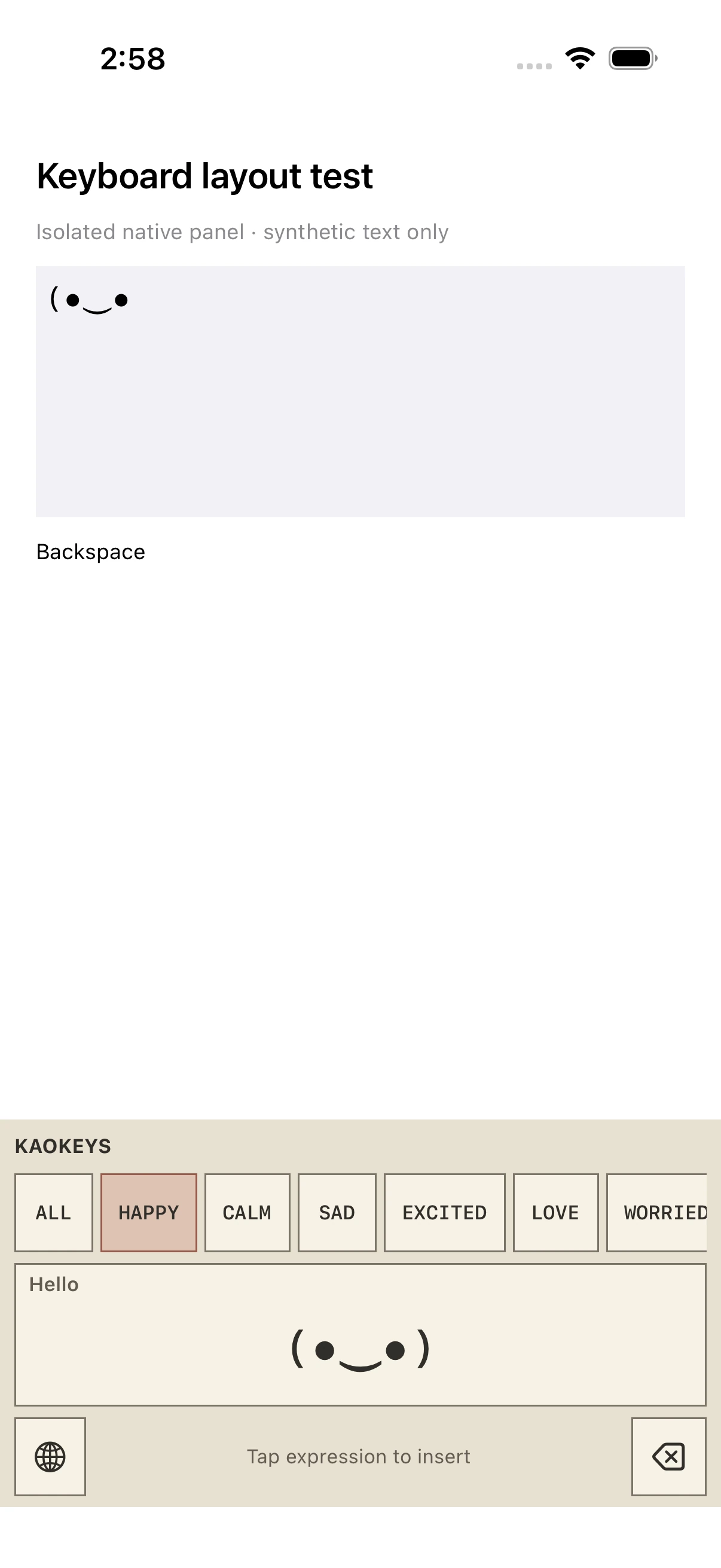
In the extension, I wanted searchable expressions or, if bringing up the default keyboard wasn’t workable, core mood categories. This pass uses the category route and direct tap-to-insert expressions. It removes the bottom insert section and the unnecessary single-page “1/1” indicator.
Expression and Canvas are different activities
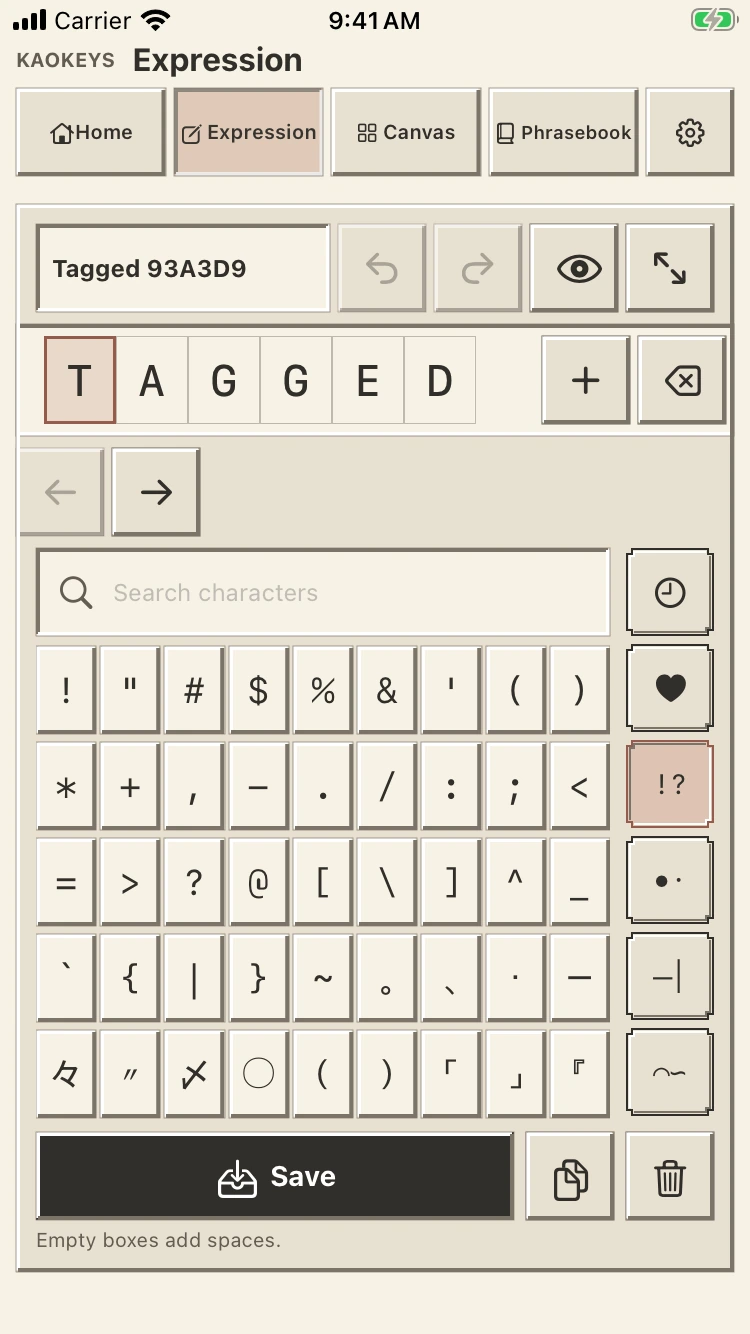
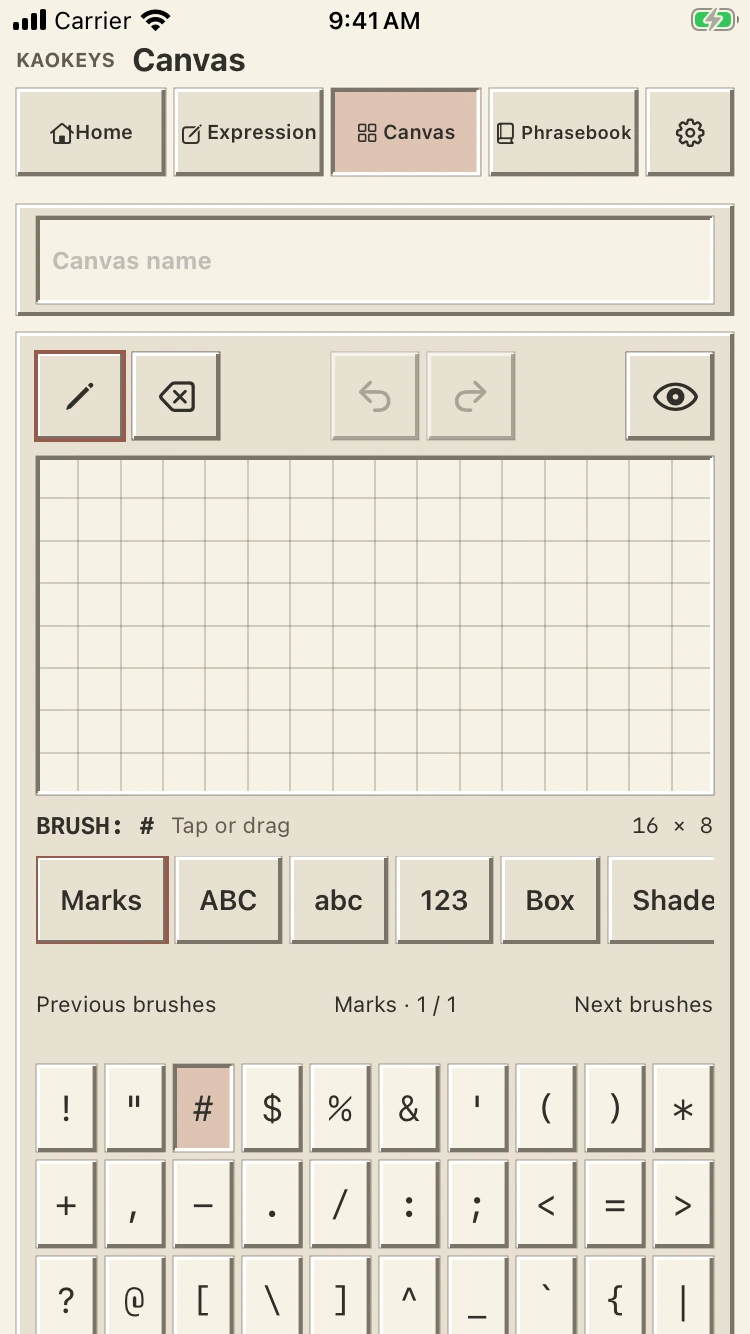
ASCII art deserved its own page. I asked to remove the Art switch from Compose and give it a place beside the expression editor in navigation. The working names became Expression and Canvas, each keeping its own draft.
I also wanted the navigation to belong to the screen’s header: smaller icons in blocky tabs beside the title, rather than another detached row across the top.
Home changed purpose too. Recently saved expressions come first, followed by recently saved ASCII art. The keyboard instructions sit at the bottom of Home, where they can be read without opening another page or digging through Settings.
Tags should help me find a feeling
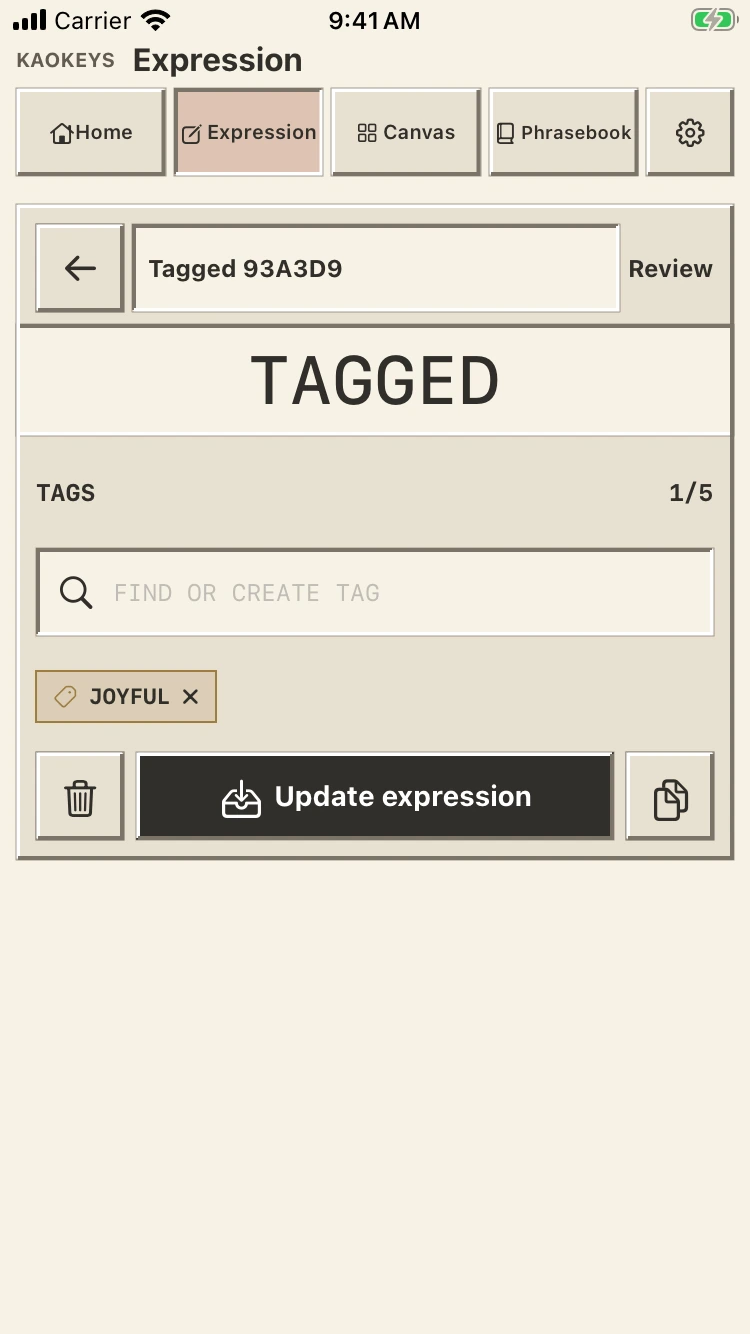
The tags needed more than different styling. I wanted a broader vocabulary of moods, feelings, and expressions, with related words sharing a colour. Synonyms and nearby emotions should feel connected when browsing them.
The redesigned collection has 61 preset tags, kept uppercase and monospace. Suggestions appear when I type; one tap selects or deselects a result. Selected tags stay visible, with a maximum of five per expression. Existing custom colours are preserved.
I still need to check these groups with real expressions, especially where a feeling could belong to more than one family.
Removing an unnecessary choice
I had previously asked for character variants to open from the character itself. Looking at the collection again, I noticed the relevant alternatives were already available separately. The pop-ups had become redundant.
This version removes that extra step so choosing a character applies it directly. The character grid now has nine columns to align with the width of its search bar.
Where it stands
These changes are installed locally. The build, core tests, and selected interface checks passed; this is not an App Store release or a fully tested keyboard integration. Text-field focus, repeated switching, insertion, and the revised tag flow still need checking on the phone.