

Milestone 01 / KaoKeys
Getting KaoKeys to show up where I actually want to use it
KaoKeys had reached my iPhone, and the next problem was immediate: switching from English to KaoKeys in Messages closed the app. This version focused on the keyboard extension, a larger character palette, and what became visible once the keyboard could open.
The keyboard had to work outside the app
A keyboard app needs to work in the places where people write. When I tried switching the language input inside Messages, I got an error and the app closed. Having the main KaoKeys app open successfully didn’t tell me whether its keyboard would work there.
The extension was missing its primary-language declaration. This round added it after tracing the failure to Messages’ language lookup while switching keyboards. After the updated build, I could finally see it on my phone. My reaction was basically: yay, it shows! But I hated the look of it.
Those were two separate findings. Getting the keyboard to appear was progress. It also gave me something real to judge, beyond the main app’s screens.
The character collection was too limited
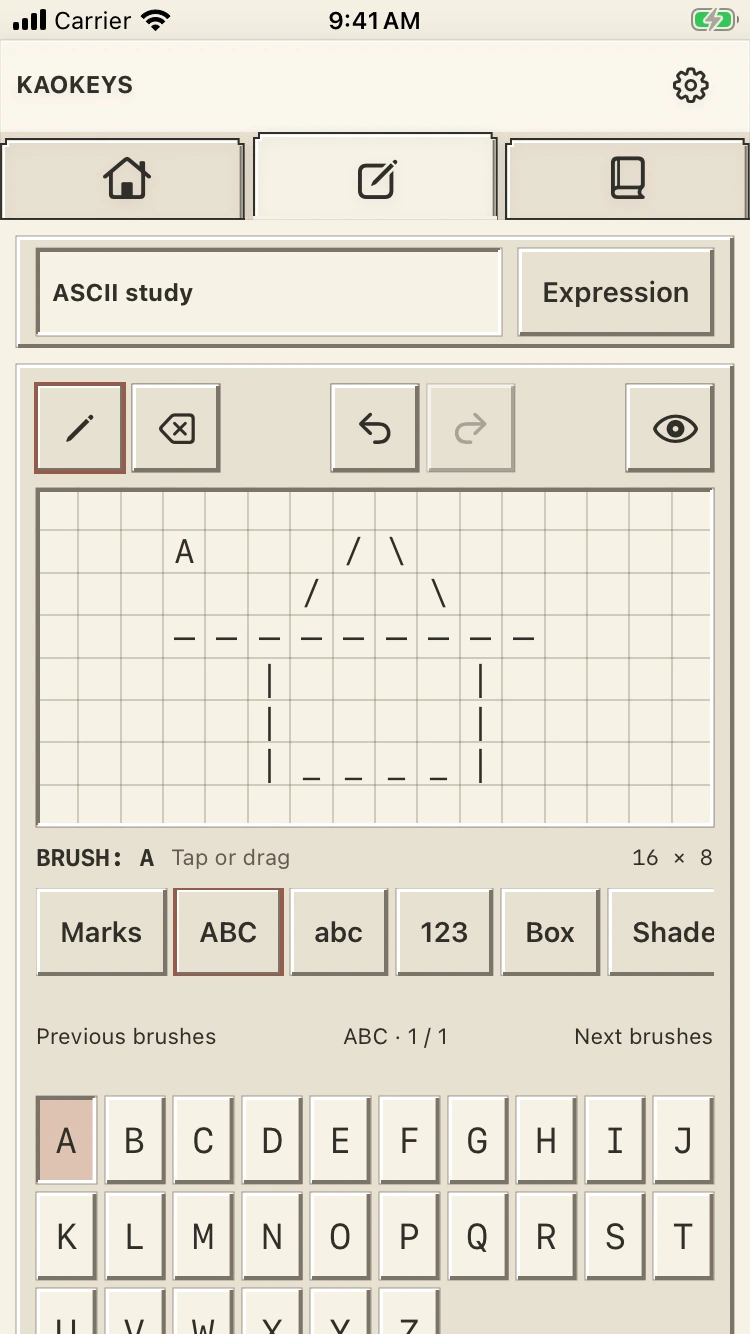
The ASCII art screen was missing a lot of the characters I expected to use. That mattered because I had already moved away from a generator-first idea. I wanted people to choose characters and place them themselves, by tapping or dragging across a canvas.
If the available material is too limited, that freedom disappears pretty quickly. The palette was expanded to include all 95 printable ASCII characters, alongside a larger Unicode collection. Unicode characters also need to fit the canvas cells; adding them to a list alone doesn’t make them suitable for drawing.
I still needed to judge the collection against the kinds of text art I actually wanted KaoKeys to support. Having more characters available is only part of that. Finding an appropriate line, corner, texture, or detail matters too.
Opening the keyboard exposed the next design problem
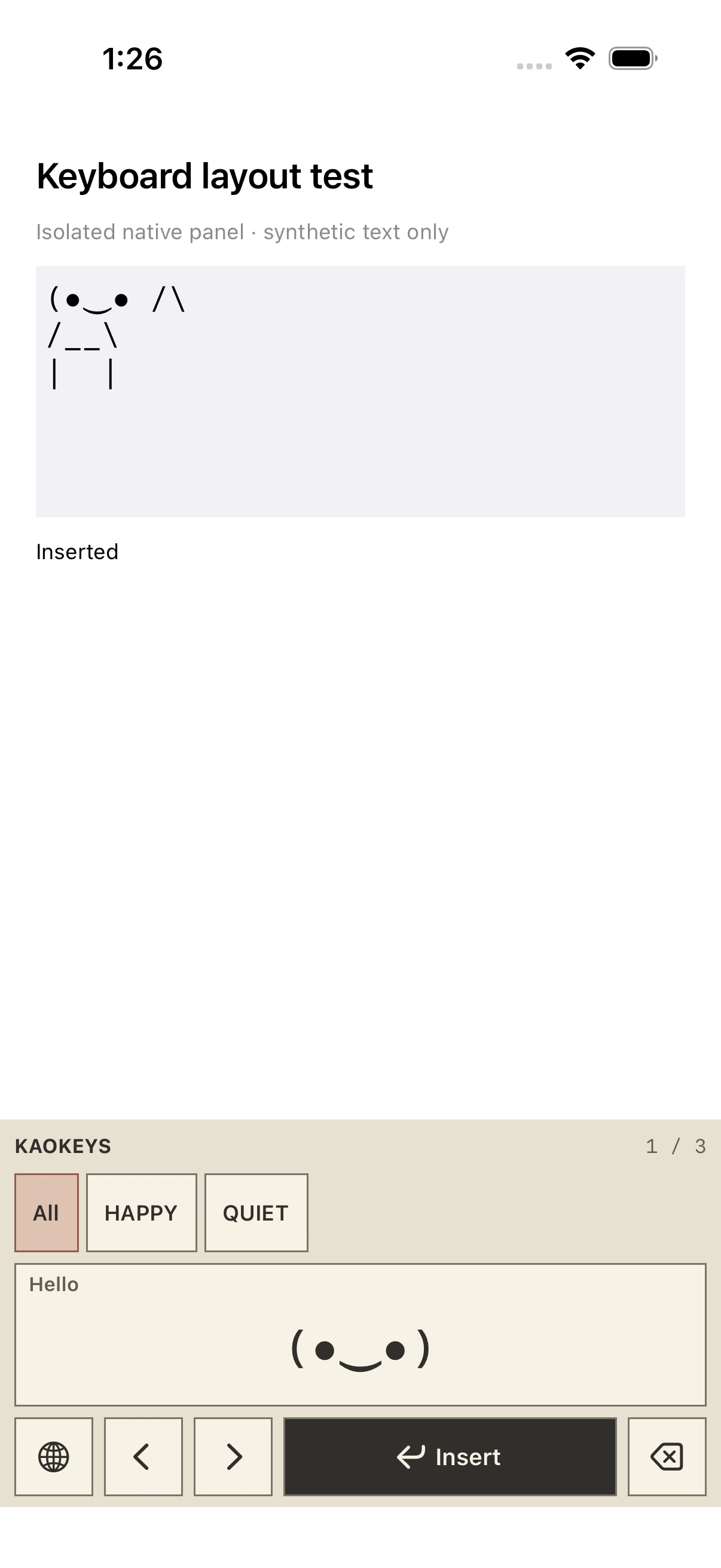
The first compact keyboard redesign brought the interface closer to the app’s retro direction. But using it on my phone raised more questions. The bottom insert section and the “1/1” indicator weren’t explaining themselves. I also wanted the tags to look and behave more clearly as tags.
I didn’t want to spend the keyboard’s limited space on controls whose purpose I had to work out. The next pass needed to make browsing and choosing an expression more direct.
Where this version stopped
The repair, expanded character palette, and first compact keyboard redesign were part of a local development build. I confirmed that the keyboard appeared on my iPhone. That observation didn’t yet establish reliable insertion or repeated switching between keyboards.
The next version followed from what I noticed while trying to use this one: clearer navigation, better tag browsing, and a closer look at when the normal iOS keyboard should appear.